
We tested Virtual Staging AI alongside four other AI virtual staging tools. Here's how it performed in our testing.
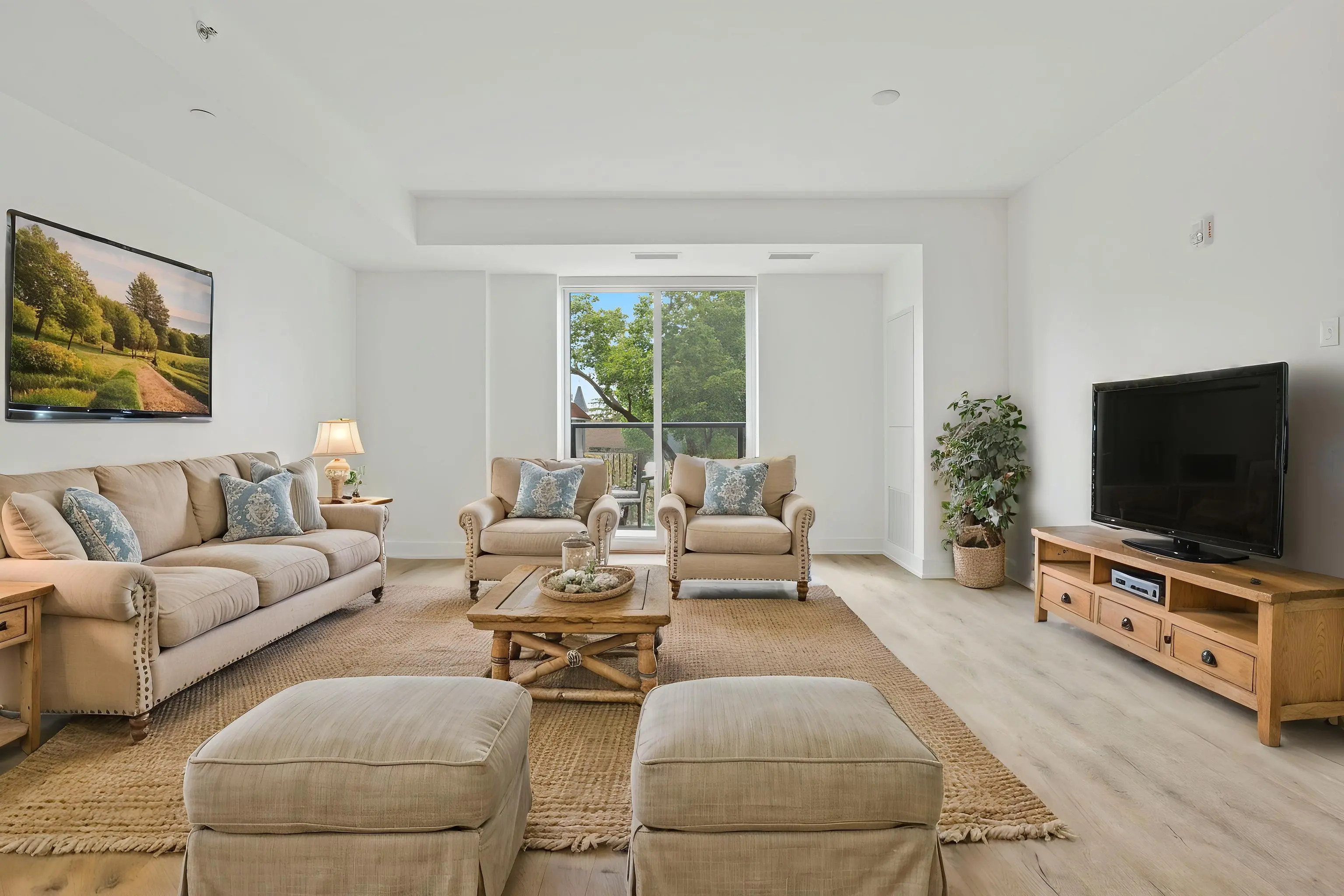
Virtual Staging AI Modern Farmhouse living room
Virtual Staging AI was the simplest tool we tested. The entire process happens on one screen: upload your image, choose a room type and furniture style, generate, and download. There’s virtually no learning curve, making it a great fit for agents who want to stage a room quickly without navigating a lot of settings or options.
That simplicity comes with tradeoffs. Virtual Staging AI offers relatively few room types and furniture styles, and its finished images scored lower for both Accuracy and Design. If speed and ease matter more to you than creating highly polished or distinctive interiors, its straightforward workflow is hard to beat.
$25.00/month
Agents who want the simplest possible virtual staging process and prioritize speed and ease over design quality.
69
For REimagine Home and Planner 5D, which use text prompts, we used the same prompt structure for every test: “[Style] living room, light airy palette, family-friendly layout, MLS ready” and “[Style] bedroom, neutral modern palette, restful layout, MLS ready.”
For the other tools, we selected the room type and design style using the options provided by each platform.
We scored each of the 10 staged images from 1 to 5 for Accuracy and Design. We also evaluated each tool for Ease of Use based on how simple and intuitive it was to use. The final score is weighted 30% Accuracy, 30% Design, and 40% Ease of Use, for a maximum score of 100.
Accuracy measured how well the tool followed the requested room type and design style while preserving the original room's architecture and proportions.
Design measured the overall quality, realism, and cohesiveness of the finished space.
Ease of Use measured how simple and intuitive the tool was to use.
See all 10 test images and their individual Accuracy and Design scores.
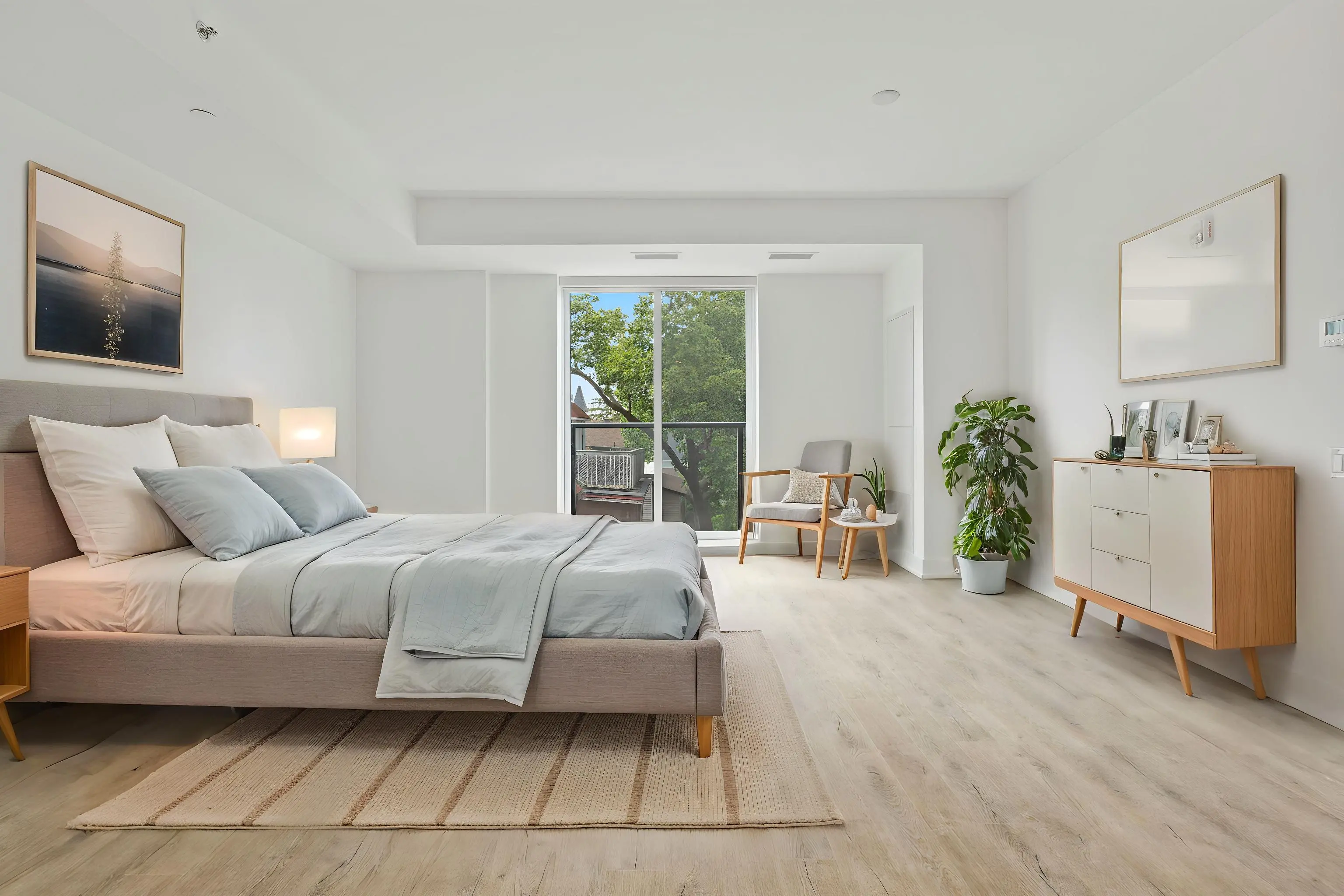
Standard (Transitional) Bedroom
4
3
7
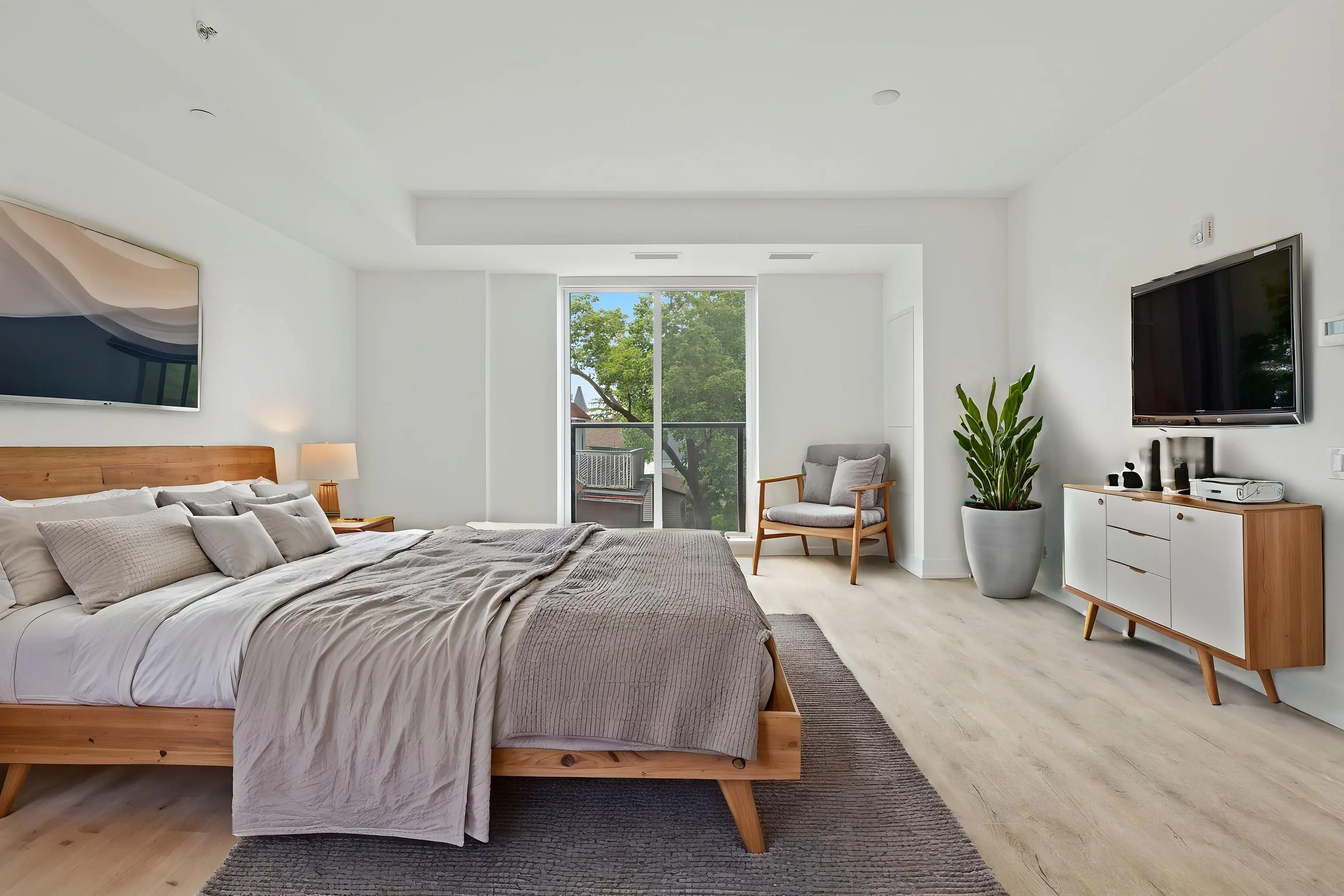
Scandinavian Bedroom
3
3
6
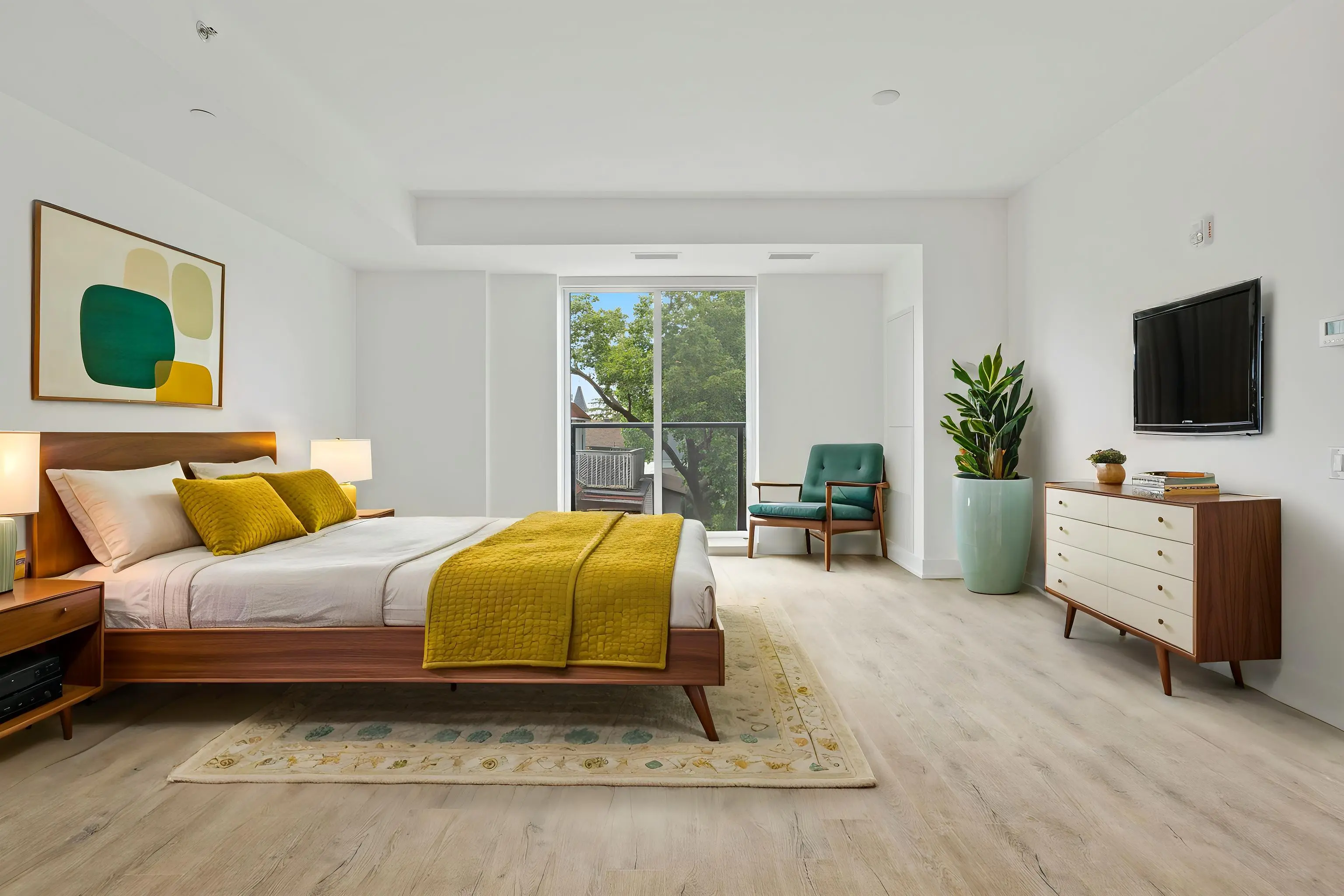
Mid-Century Modern Bedroom
3
3
6
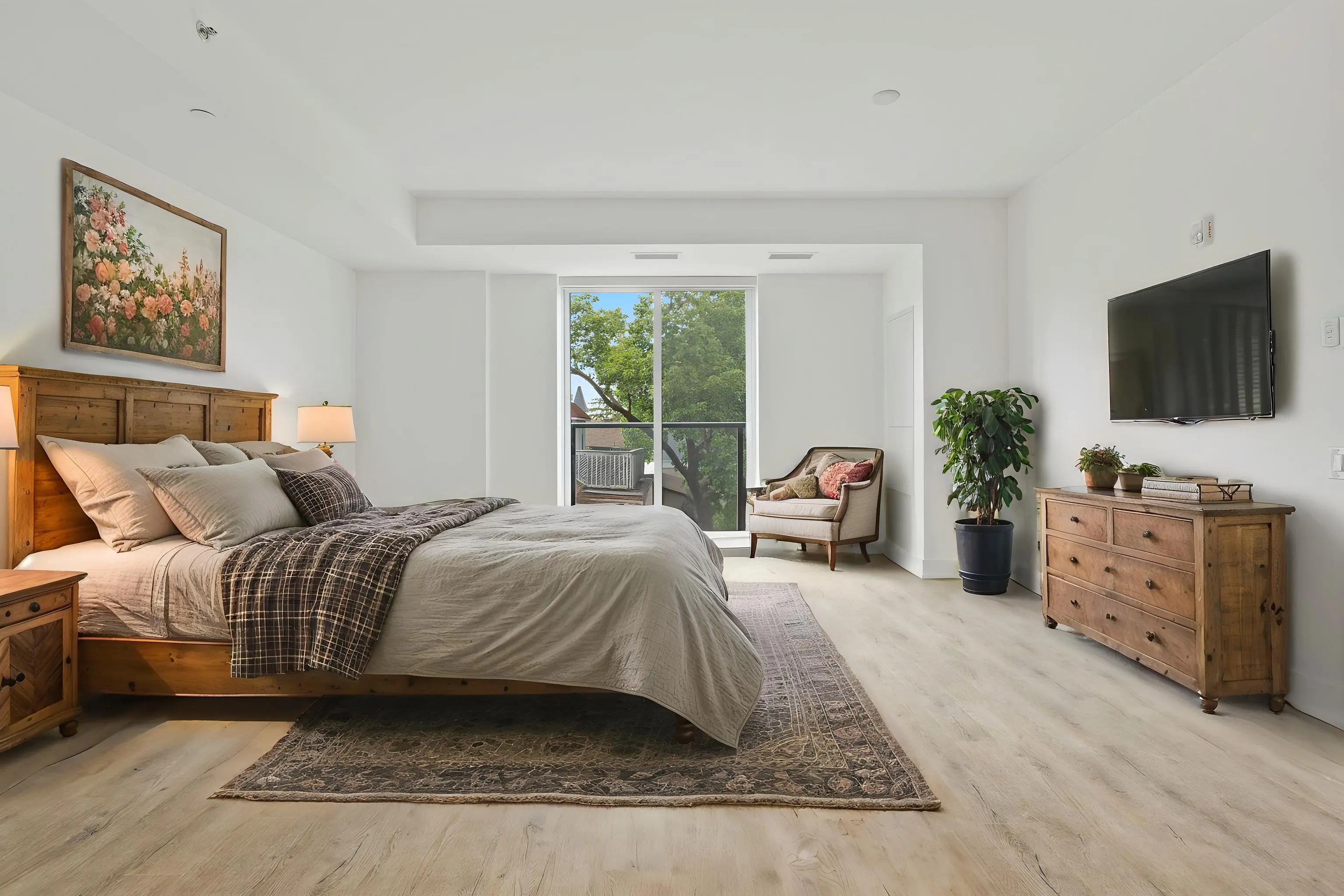
Modern Farmhouse Bedroom
2
3
5
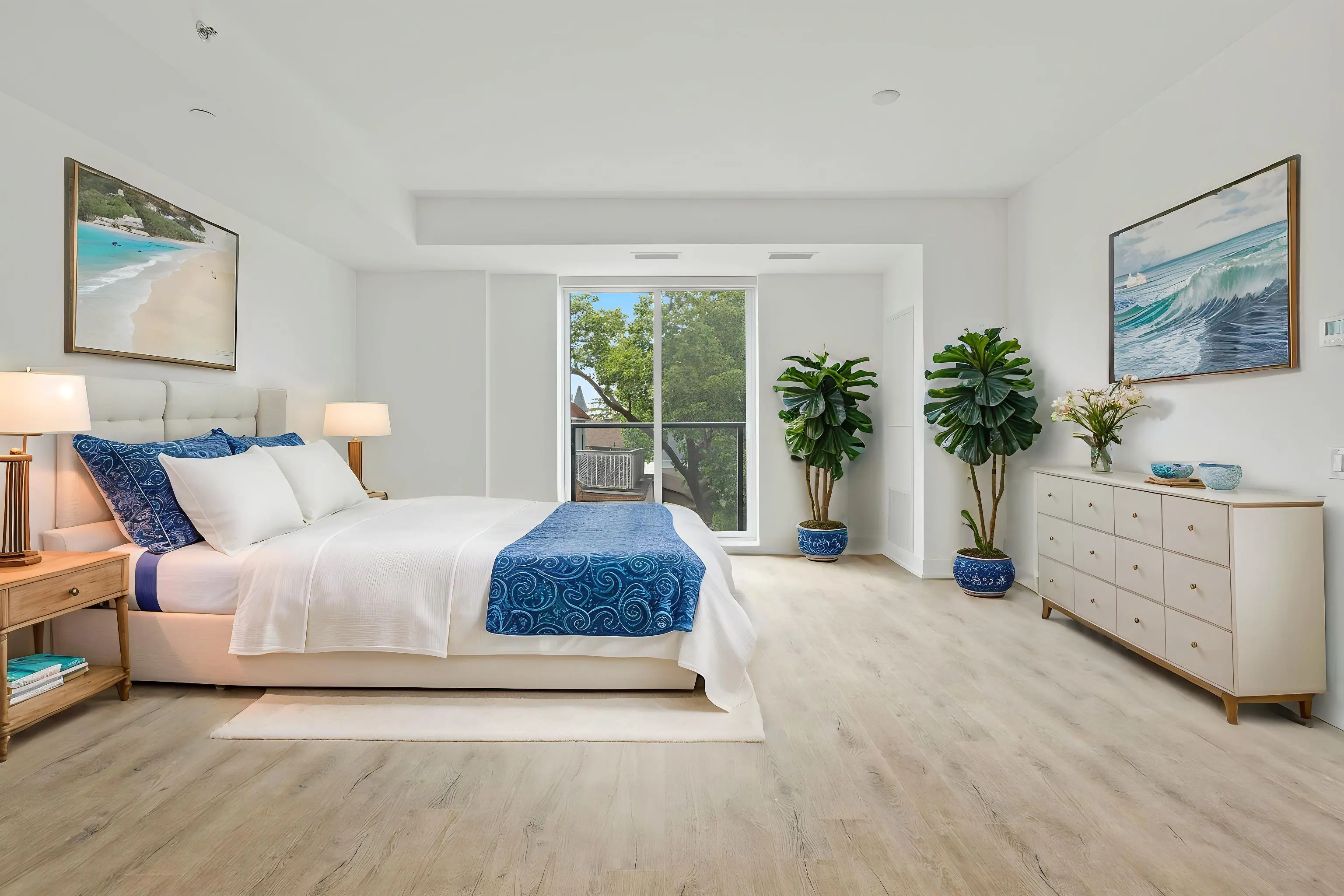
Modern Coastal Bedroom
2
2
4
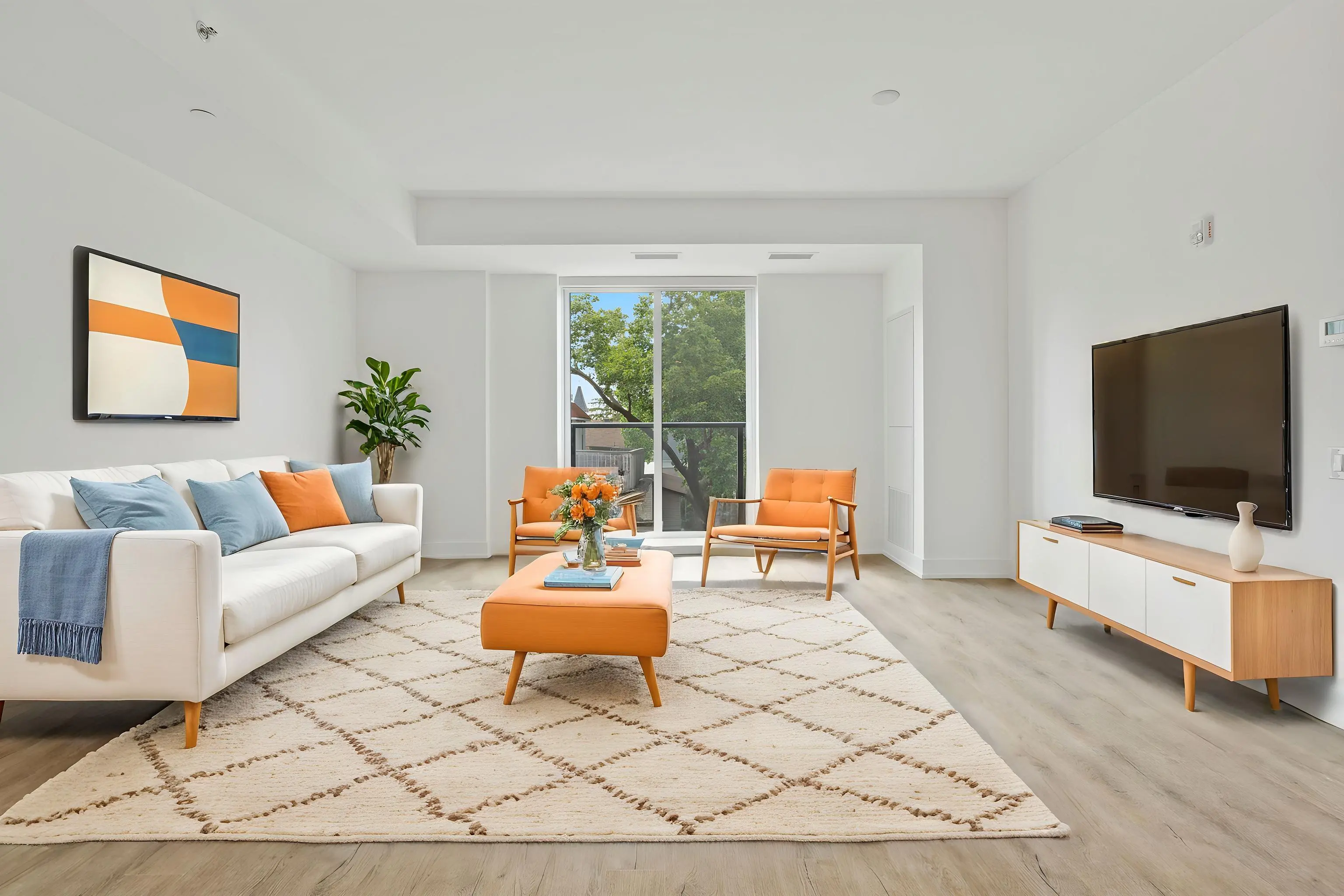
Standard (Transitional) Livingroom
2
2
4
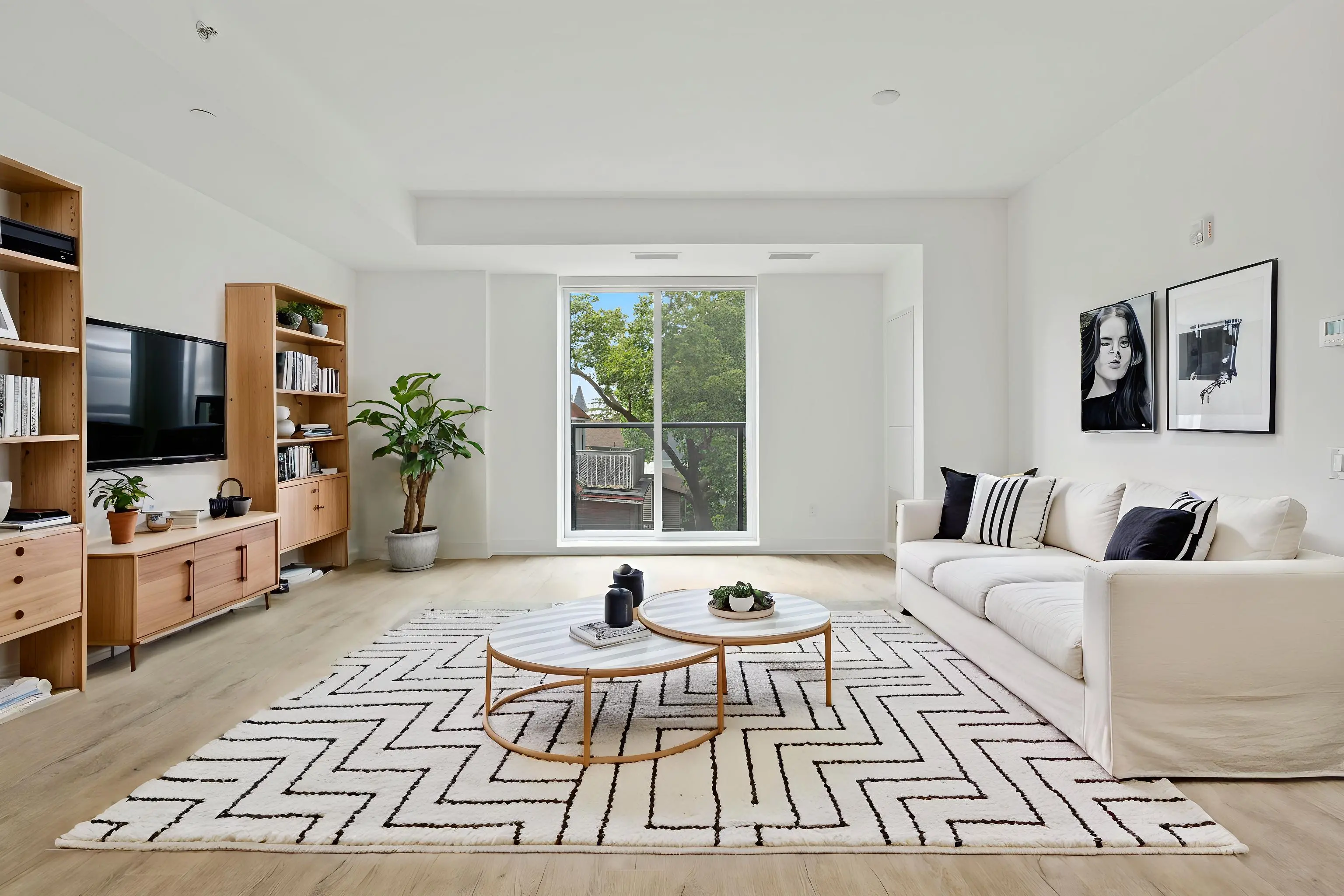
Scandinavian Livingroom
3
2
5
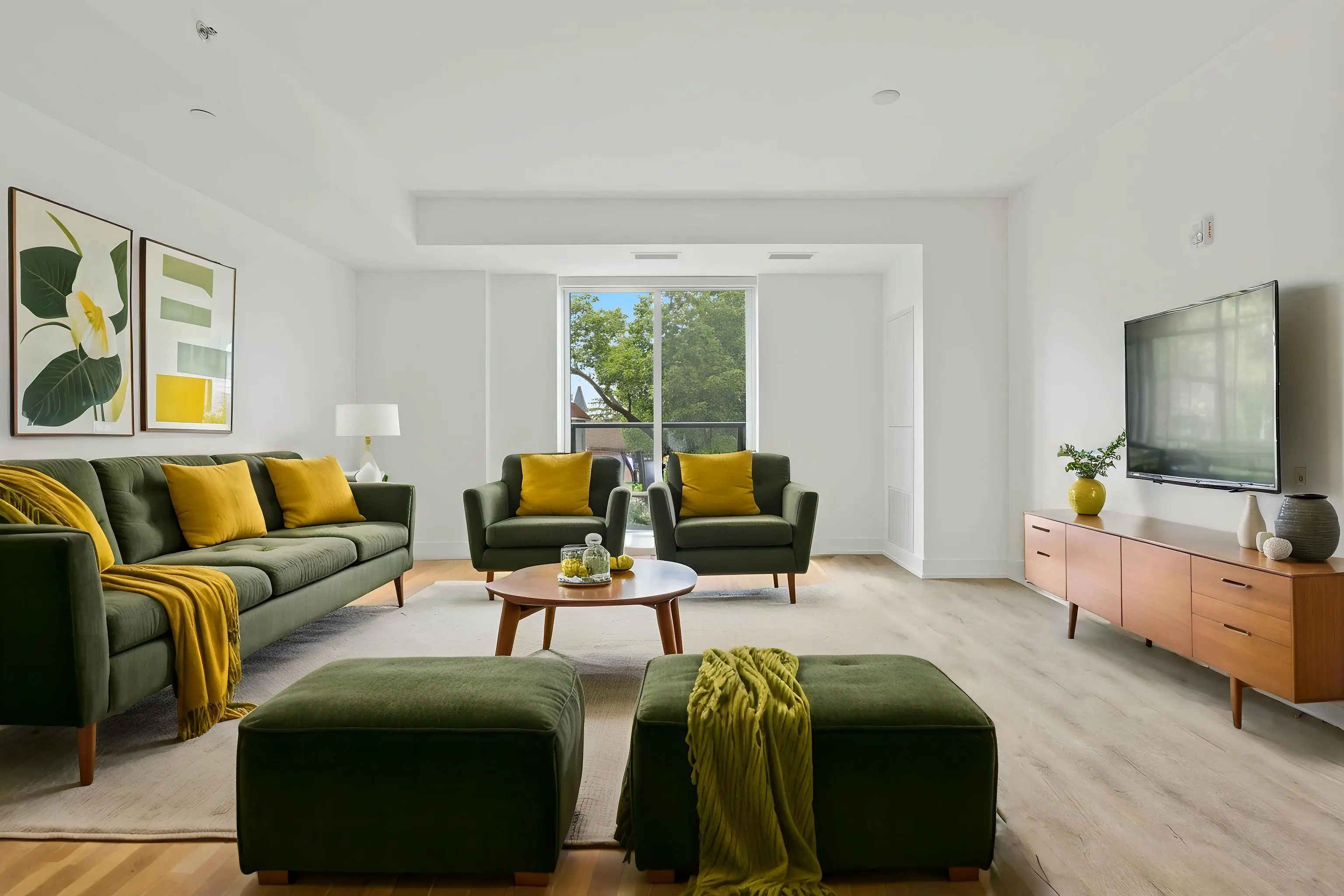
Mid-Century Modern Livingroom
3
2
5
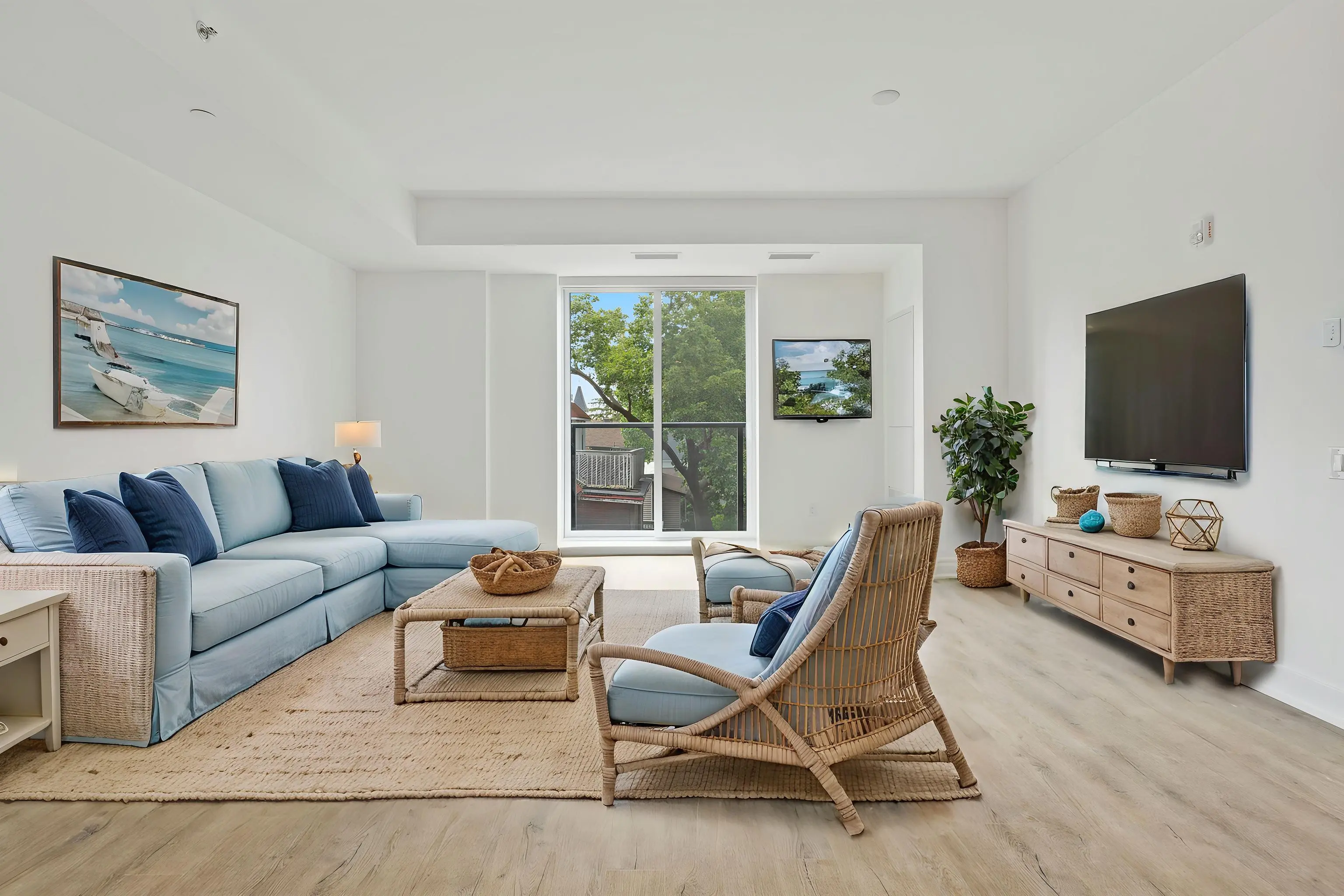
Modern Coastal Livingroom
4
3
7
26
23
69
I work with AI-generated interior imagery regularly and have spent hundreds of hours creating, evaluating, and refining AI-generated rooms. I know what a convincing result should look like—and I know the telltale signs when AI gets a room wrong.
For these reviews, I look beyond whether an image is simply pretty. I evaluate whether the tool accurately interprets the requested design style, creates a cohesive and realistic room, gets furniture scale and placement right, and preserves the architecture and proportions of the original space.
Every image and score in our reviews is based on our own hands-on testing. We independently test and evaluate the tools we recommend, and affiliate relationships never influence our ratings, rankings, or recommendations.
Frugal Designer participates in affiliate marketing programs and may earn commissions from qualifying purchases made through affiliate links.
As an Amazon Associate, we may earn commissions from qualifying purchases from Amazon.com.